
MettPay API Integration
The MettPay API Integration page provides a complete guide for merchants to connect their system with the MettPay Payment Gateway using the official API. All API operations including creating an order and fetching order details are first tested in the MettPay Sandbox Environment.
1. Contact and Access
The Postman collection and required API credentials will be provided by the MettPay Tech Team. To start integration, contact:
Email: [email protected]
2. Sandbox Environment
All testing must be done in the Sandbox Environment before production. This ensures correct API responses for order creation, checkout, and callbacks.
3. Create Order API
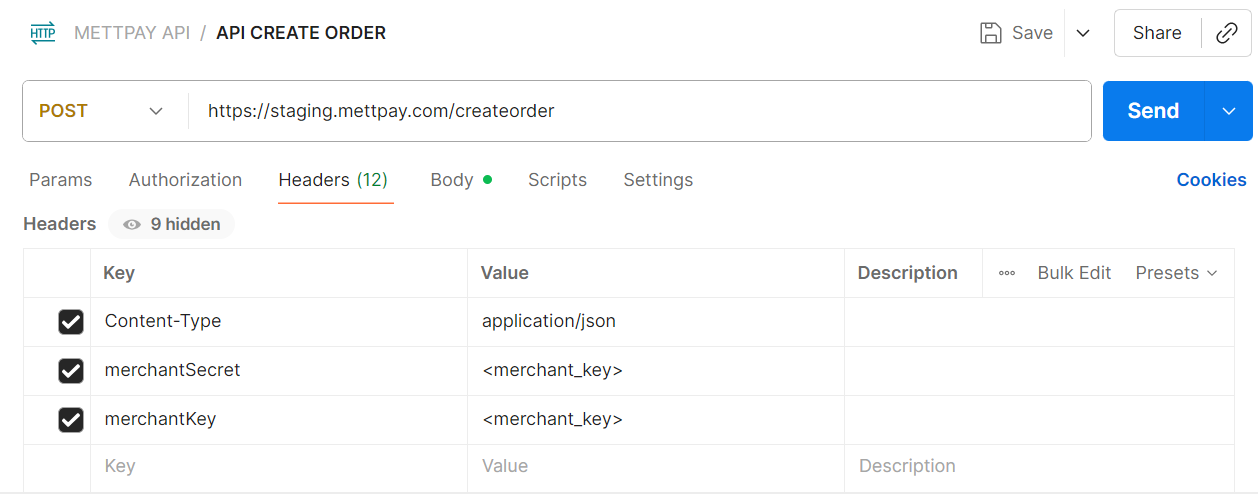
Use a POST request to the MettPay API endpoint (provided in the Postman collection). Add your merchantKey and merchantSecret in the header for authentication.
Request Headers
- merchantKey: Your assigned MettPay merchant key
- merchantSecret: Your assigned MettPay secret key
- Content-Type: application/json
Request Body Example
{
    "order": {
        "id": "ORD12345",
        "amount": 150.00,
        "remarks": "Test Order",
        "returnUrl": "https://merchantdomain.com/payment/response",
        "returnSuccUrl": "https://merchantdomain.com/payment/success",
        "returnErrorUrl": "https://merchantdomain.com/payment/error"
    },
    "customer": {
        "email": "[email protected]",
        "firstName": "Test",
        "lastName": "User",
        "mobilePhone": "+971500000000",
        "phone": "+971500000000"
    }
}
returnUrl – Redirection after payment (can be same as success/error URL).
returnSuccUrl – Redirects to this page when payment succeeds.
returnErrorUrl – Redirects here if payment fails or is canceled.
4. Checkout Page
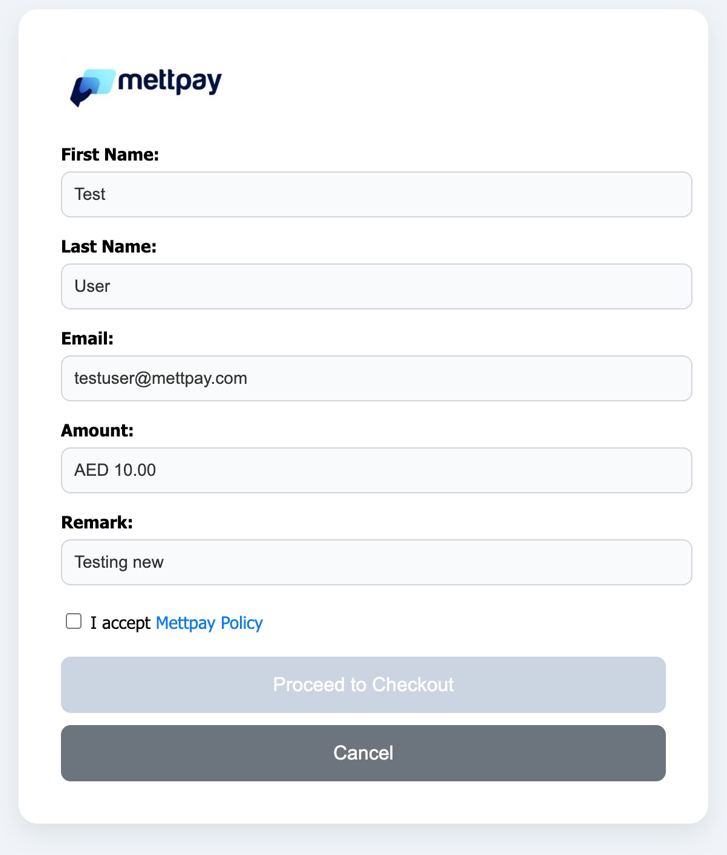
When your request is successful, the API will return a payment URL. Use that link to open the Checkout Page where the customer can complete their payment.
5. Get Order Details
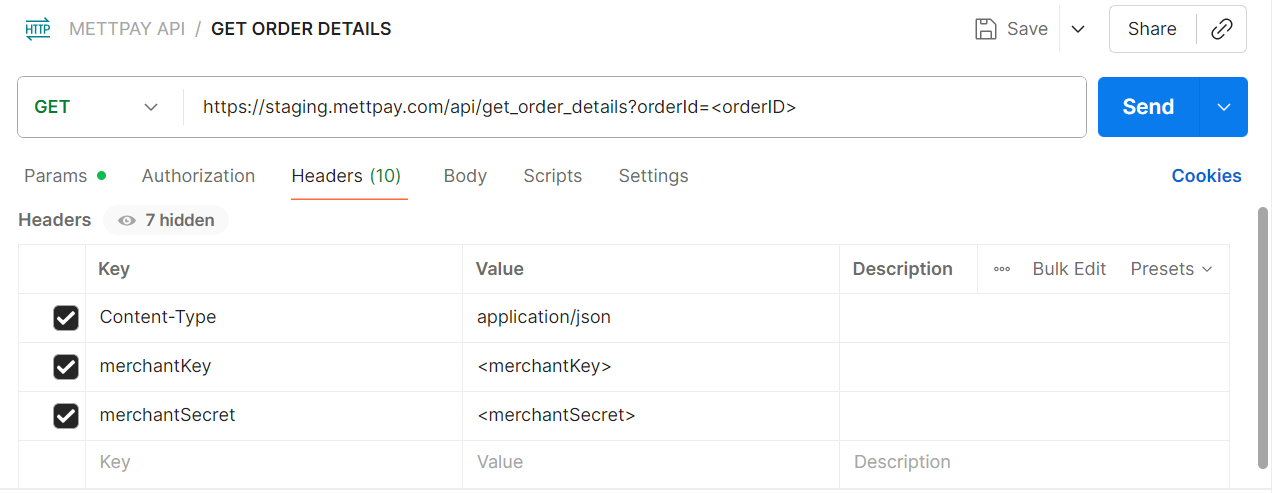
To fetch details of a specific order, use the GET Order Details API. Pass the order ID as a query parameter. The response includes payment status, amount, and transaction details.
GET https://staging.mettpay.com/api/get_order_details?orderId=orderID
This endpoint helps validate the payment after redirect or webhook callback.
6. Important Notes
- Always test completely in the Sandbox Environment before going live.
- Keep your merchantSecret private; never store it in client-side code.
- Ensure all return URLs use HTTPS for secure redirection.
- For technical help, contact [email protected].
The MettPay API Integration ensures a seamless and secure payment experience for merchants and customers. Follow these steps carefully for smooth implementation.