
VAT Statements
The VAT Statements page provides access to your monthly tax invoices, generated automatically at the end of each month. These reports summarize all taxable transactions processed during the month and help in maintaining compliance with VAT regulations.
Accessing the VAT Statements Page
To access and download your VAT statements, follow these steps:
- From your dashboard, navigate to the VAT Invoices tab in the left-hand sidebar.
- Click on VAT Statements to open the page.
- The page displays a list of available monthly VAT invoices.
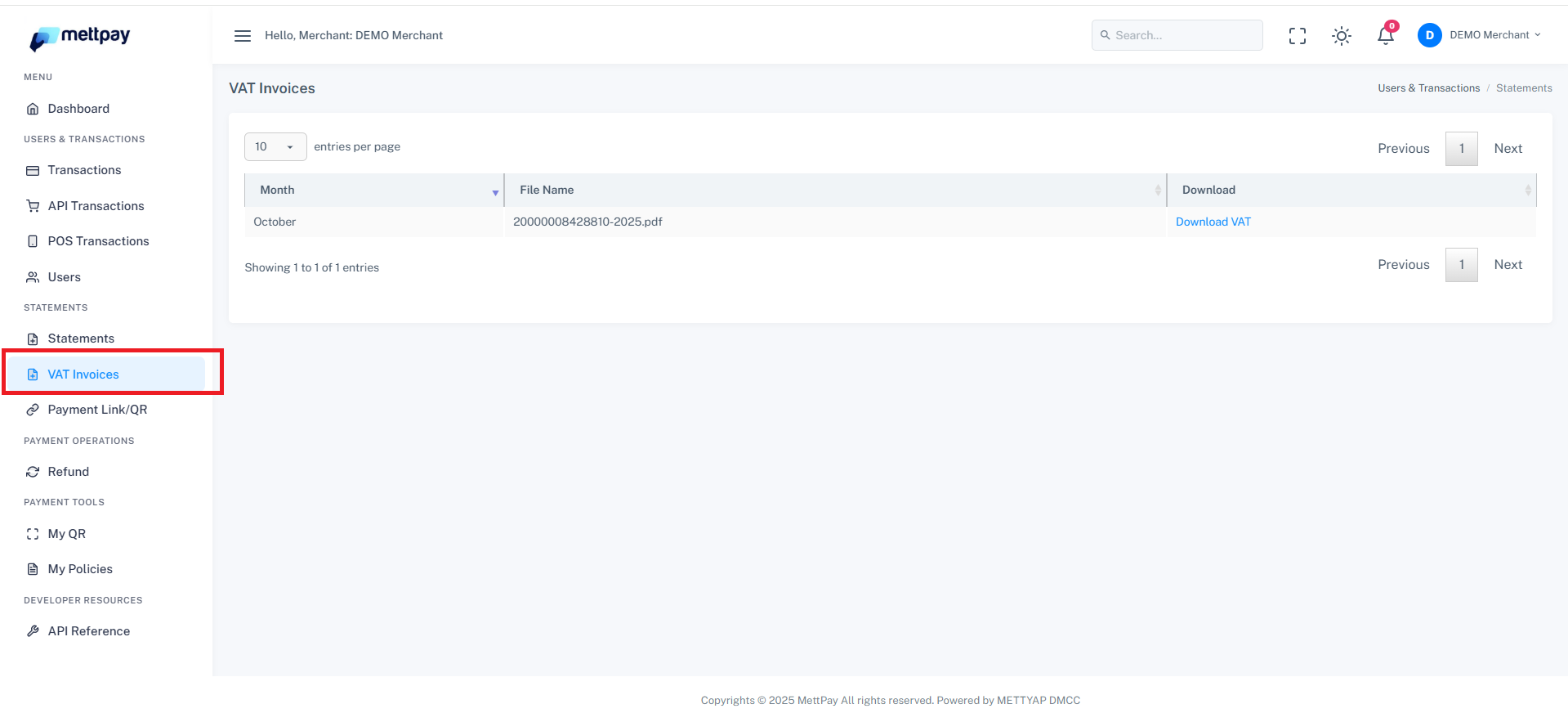
Understanding the VAT Statement List
Each record in the VAT Statements table contains the following information:
- Month: The month for which the VAT statement has been generated.
- File Name: The PDF file name for that month’s VAT invoice.
- Action: The Download option that allows you to retrieve the PDF statement.
Downloading Monthly VAT Statements
To download your monthly VAT invoice:
- Locate the desired month from the list.
- Go to the Actions column.
- Click the Download icon or button to save the invoice in PDF format.
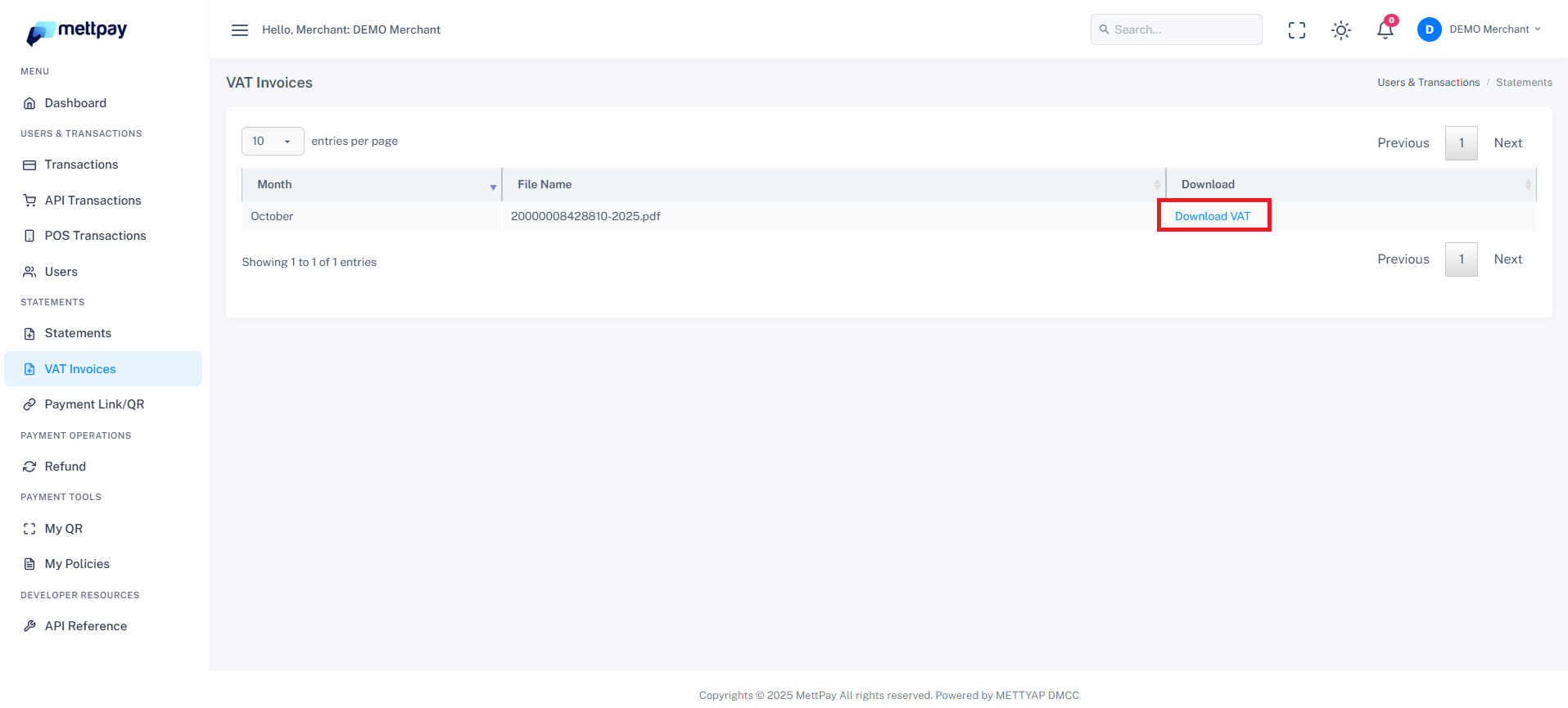
Each PDF includes a detailed breakdown of your taxable sales, VAT charges, and total payable or deductible VAT amounts. These invoices are generated automatically at the end of every month for your records and filing purposes.
Make sure to regularly download and store your VAT statements for accounting and tax compliance.