
Daily Statements
The Daily Statements section allows you to view and download your daily transaction summaries. These statements are automatically generated every day for the previous date, providing a complete overview of your payment activities and settlements.
Accessing the Daily Statements Page
To view your daily statements, follow the steps below:
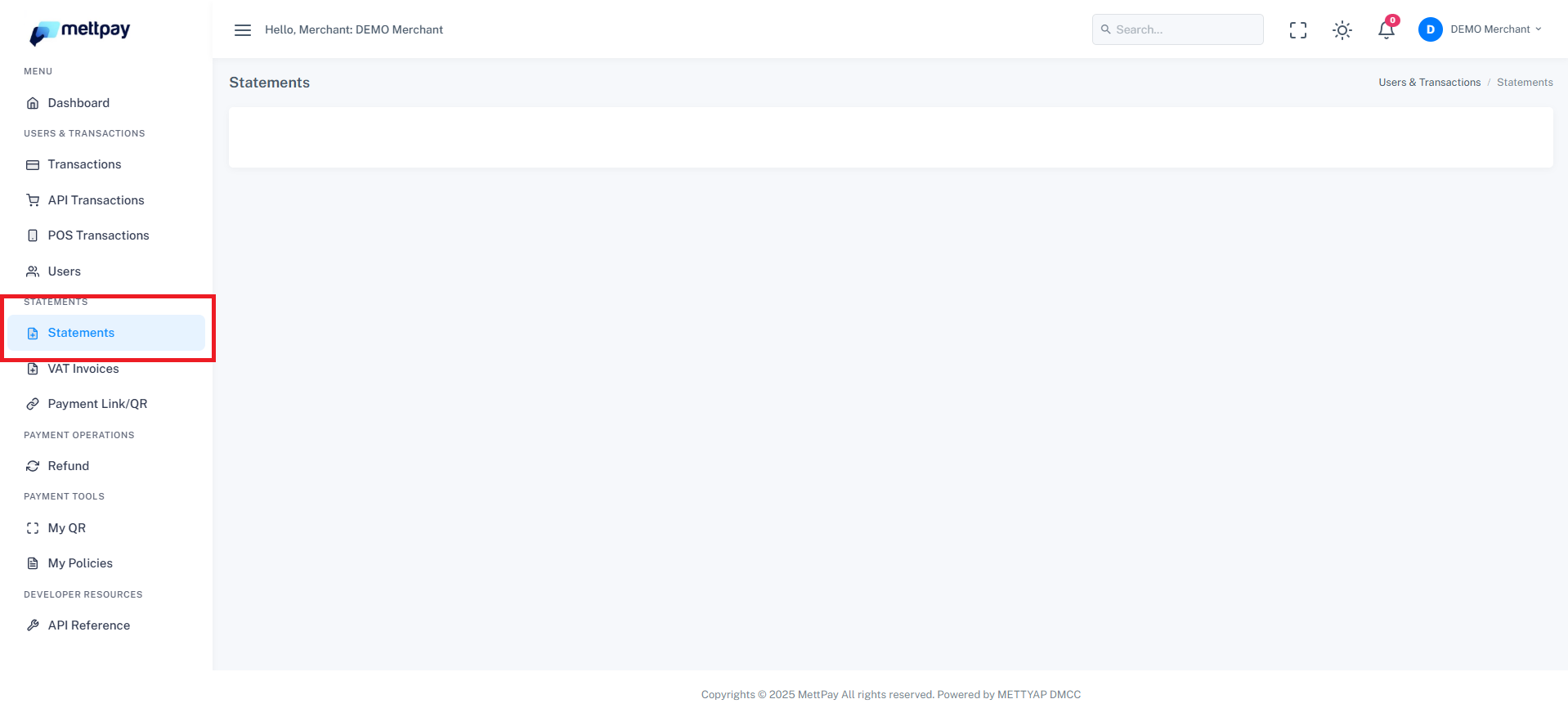
- From your dashboard, go to the Statements section in the left-hand menu.
- Click on Statements to open the page.
- You will see a list of statements generated for each date.
Understanding the Daily Statement
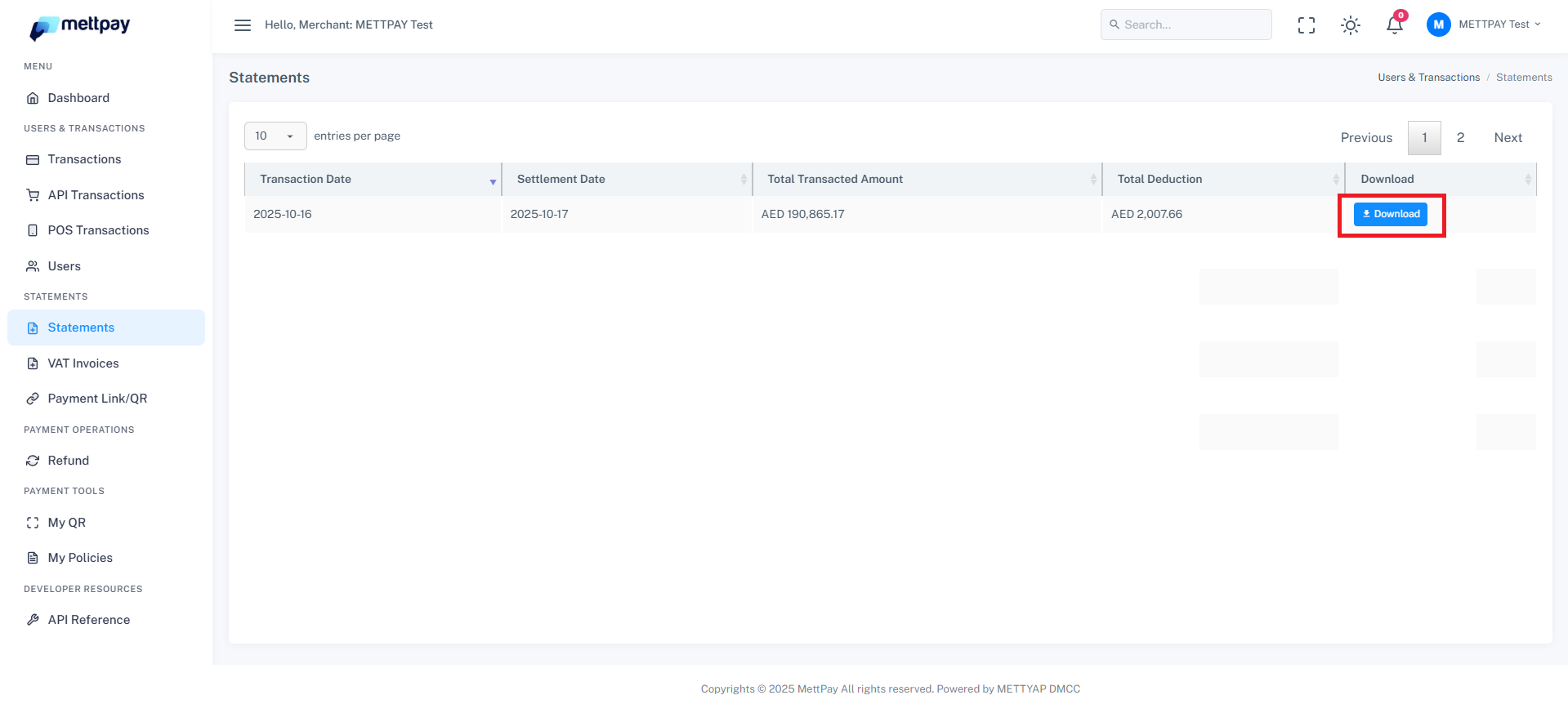
Each statement displays a summary of the transactions processed on the previous day. The data includes key financial details for easy reconciliation and reporting:
- Transaction Date: The date when the transactions occurred.
- Settlement Date: The date when the amount was settled to your account.
- Total Transacted Amount: The total value of transactions made on that day.
- Total Deducted Amount: The total deductions or fees applicable to those transactions.
- Actions: Provides an option to download the statement in PDF format.
Downloading Statements
To download your statement:
- Locate the date you wish to download.
- Go to the Actions column on the right side of the page.
- Click the PDF Download icon or button to save the file.
The downloaded PDF includes all key details of your transactions and settlement breakdowns for the selected day. These reports are designed to help you track performance, monitor payouts, and maintain accurate financial records.
Statements are automatically generated daily, so you can always access the latest report the following day (T-1 basis).